
You just got your electric bill, and the amount owed is higher than you expected. If you’re renting an apartment, your electricity costs may sometimes feel like a mystery. One you’re paying for each month without fully understanding why.
But the good news is that learning how to read your electric meter can remove much of the guesswork from your energy bills and help you take control of your spending.
We’ll take you through everything you need to know about reading your electric meter and tracking usage.
What is an electric meter, and where do you find it?
An electric meter measures the total amount of electricity flowing into your apartment. It’s usually owned and maintained by your utility company and is the device they use to calculate your monthly bill.
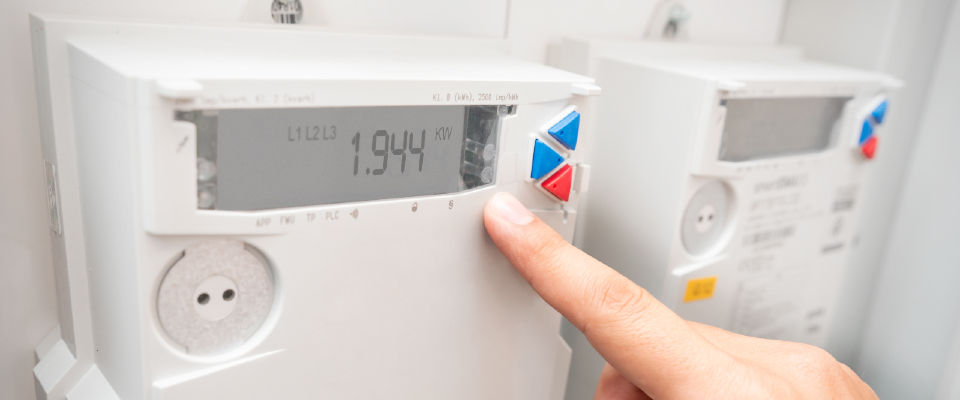
In apartment buildings, you’ll typically find meters grouped together in a utility closet, basement, or on an exterior wall near the building entrance.
If you’re not sure which meter belongs to your apartment, check your lease paperwork or ask your property manager. Each meter is labeled with a number that corresponds to the account number on your electric bill.
How to read an electric meter
There are two main types of electric meters you’ll encounter in apartments: digital meters and analog (dial) meters. Here’s how to read each one.
Digital versus analog meters at a glance
| FEATURE | DIGITAL METER | ANALOG METER |
| Display | LCD or LED screen showing a number | Four or five dials with pointers |
| Unit of measurement | Kilowatt-hours (kWh) | Kilowatt-hours (kWh) |
| How to read | Note the number displayed on the screen | Read dials from right to left; round down between numbers |
| Ease of use | Very easy — read the number directly | Takes some practice |
| Extra features | May cycle through demand, voltage, or time-of-use data | No additional screens or data |
Digital meters
The easier of the two to read, digital meters display a number on an LCD or LED screen, typically measured in kilowatt-hours (kWh). Just note the number shown is your current total usage since the meter was last reset or installed.
Some digital meters cycle through multiple screens showing demand, voltage, or time-of-use data. Wait a few seconds for the display to return to the main kWh reading.
Analog (dial) meters
Analog meters have four or five small dials, each numbered from 0 to 9. To read one, start from the dial on the far right and work your way left.
If a dial’s pointer falls between two numbers, always record the lower number. If a pointer looks like it’s directly on a number, check the dial to its right, and if that one hasn’t passed zero yet, round down.
It takes a little practice, but once you’re comfortable with the process, reading an analog meter takes about 10 seconds.
How to track your electricity usage
Now that you know how to read your electric meter, you can start tracking your usage over time. Here’s a simple approach that works for any apartment.
- Pick a consistent day each week, for example, every Sunday morning, and write down your meter reading.
- Subtract the previous week’s number from the current one, and you have your weekly kWh usage.
- Keep a running log in a notebook, spreadsheet, or notes app on your phone.
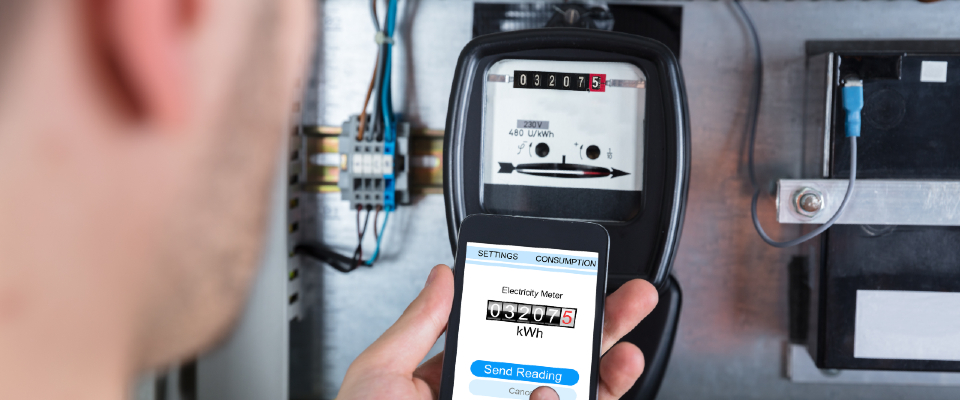
After a month or two, you’ll start to see clear trends: maybe your usage spikes on laundry days, or your AC pushes the numbers up in the summer.
Many utility companies also offer online portals or apps where you can view your daily and monthly energy data. If your utility provides this, take advantage of it. It’s a helpful complement to manual meter readings and can give you an even more detailed picture of your habits.
Learning how to read your electric meter is one of the simplest ways to take charge of your apartment expenses. It only takes a few minutes, costs nothing, and gives you the information you need to lower your bills and live more comfortably.
Key takeaways:
- Your electric meter tracks total energy use in kilowatt-hours (kWh). Find it in your building’s utility area and match its number to your bill.
- Digital meters show a simple number readout. Analog meters require reading dials from right to left and rounding down when a pointer falls between numbers.
- Track weekly readings in a log or app to spot usage patterns and catch billing errors early.
Frequently asked questions
A: A kilowatt-hour is a unit of energy that represents one kilowatt of power used continuously for one hour. It’s the standard unit your utility company uses to measure and bill your electricity consumption. For example, running a 100-watt light bulb for 10 hours uses one kWh.
A: Checking your meter once a week is a good starting point. This gives you enough data to identify trends in your usage without being overly time-consuming. Many renters find that a weekly Sunday morning check becomes a quick, helpful habit.
A: In most cases, your electric meter is specific to your apartment. If you suspect you’re being billed for shared areas or another apartment’s usage, contact your utility company to verify your meter assignment. You can also ask your property manager for clarification on how electricity is metered in your building.
A: If you notice a sudden spike in your bill that doesn’t match a change in your habits, your meter may need to be checked. Contact your utility company to request a meter test. Most providers offer this service at no cost or for a small fee. You can also compare your manual meter readings with the usage shown on your monthly bill to spot discrepancies.
A: Many utility providers offer free online portals or mobile apps that show your daily and monthly energy consumption. Check with your provider to find out what tools are available.